
Tiny Dungeon Crew · Tiny Pixel UI
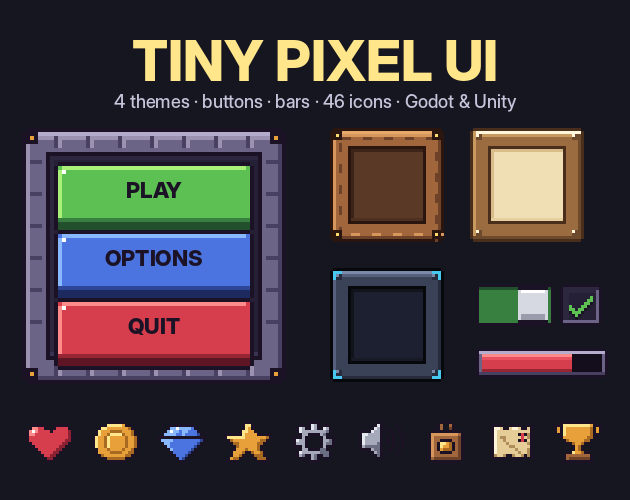
Tiny Pixel UI
Menus, settings screens and HUDs for a pixel game. Drop a Theme file on your Godot scene and every button, checkbox, slider and tab is styled. In Unity the sprites import with their nine-slice borders already set.
The full pack comes with the monthly and yearly Pro plans. Free: the whole stone theme with its Godot theme and Unity setup, and 16 icons. Use it in commercial games.
Running in Godot 4
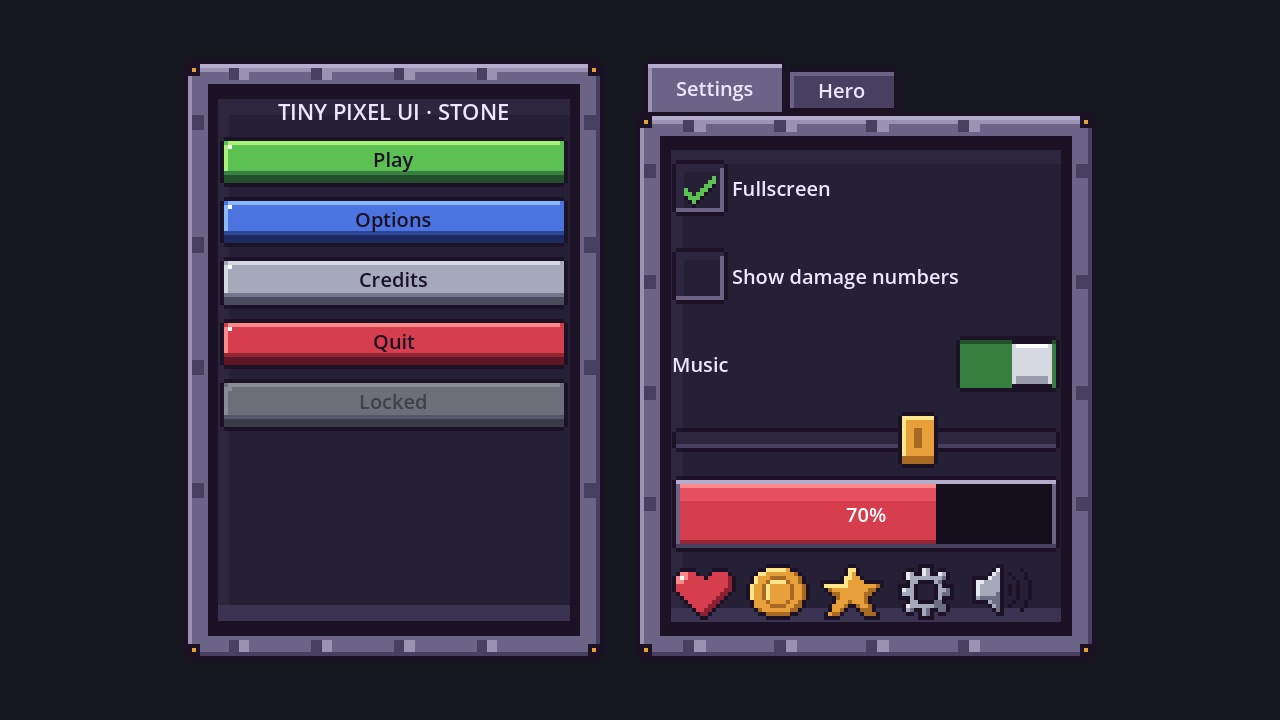
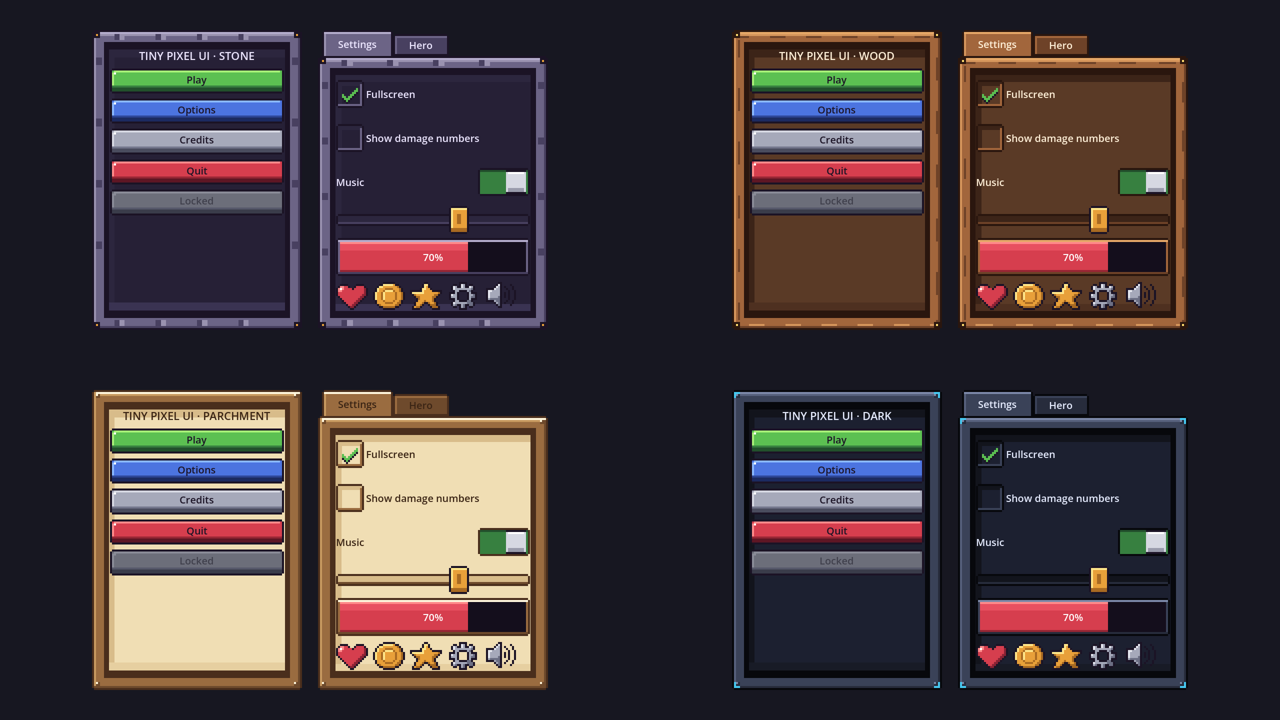
These are screenshots from Godot 4.7 with the theme files from the pack. Only the theme changes between them. The demo scene is in the pack too.
Four themes
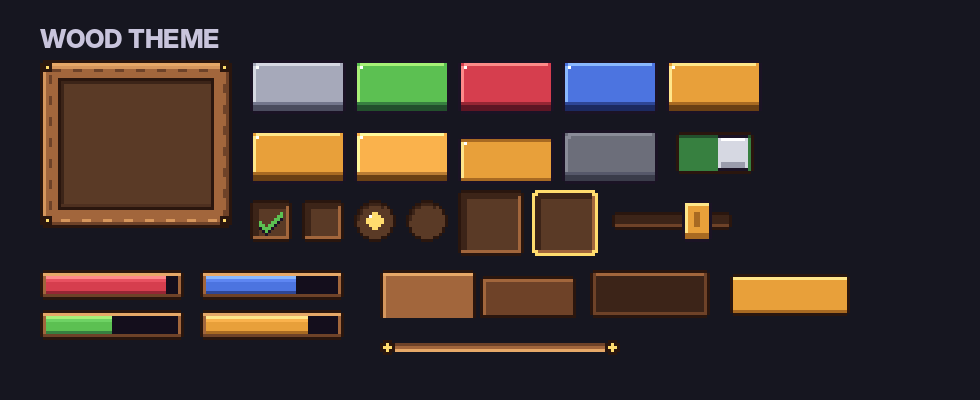
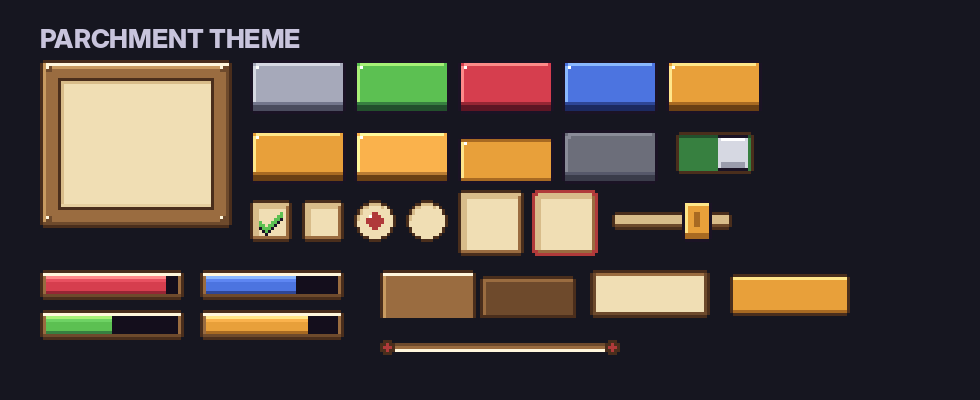
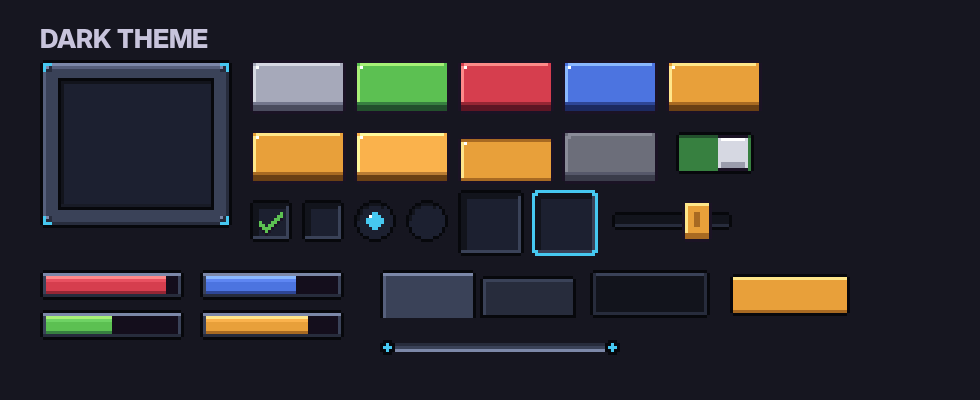
Every theme has the same parts at the same sizes, so you can switch the look of a whole game by changing one Theme file.
46 icons
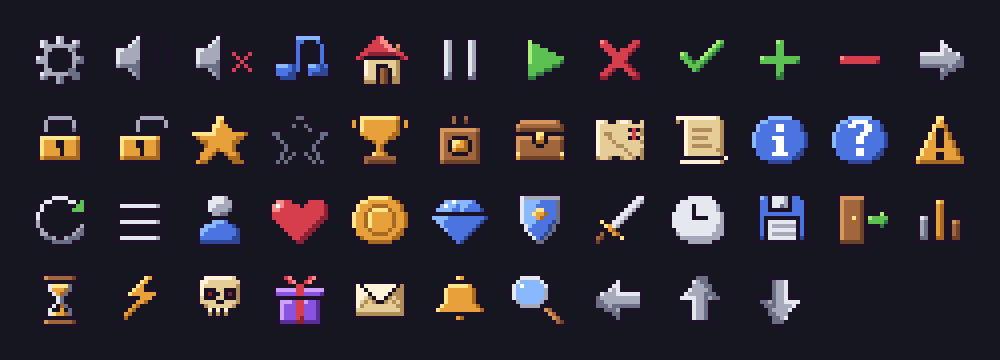
Settings, sound, music, home, pause, play, close, check, arrows, lock, stars, trophy, shop, inventory, map, quest, info, warning, coins, gems, hearts and more, on a 16 px grid.
What is in the full pack
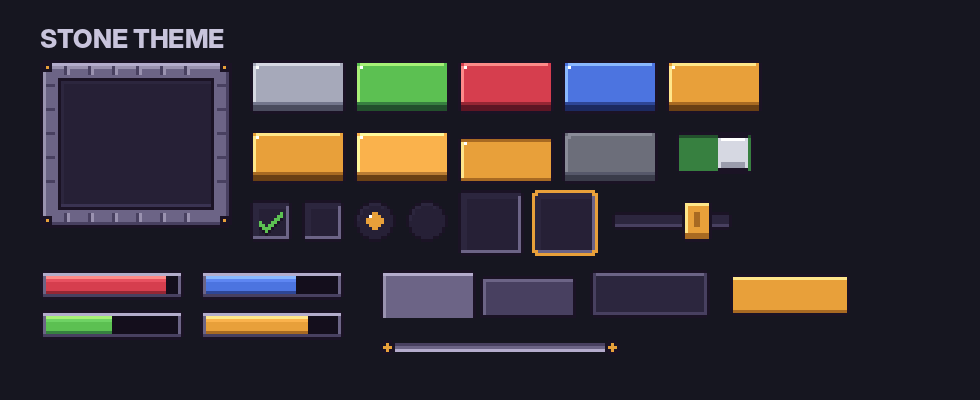
- Panel and inset well for lists and text fields
- Buttons in gray, green, red, blue and gold
- Each button in normal, hover, pressed and disabled
- Slot and selected slot for inventories
- Bar frame and 5 bar fills for health, mana and XP
- Checkbox, radio, toggle, on and off
- Slider track and knob in 3 states
- Tabs, tooltip, name plate and divider
- 46 icons and 3 cursors
- PNG at 1x and 4x, sheets with JSON rects
- slices.json with nine-slice margins for every part
- Godot 4: 8 Theme files (4x for HD, 1x for pixel viewports) and a demo scene
- Unity: importer that sets Point filter and nine-slice borders
- Tested by loading every theme and the demo in Godot 4.7
Free or full pack
| Free | Pro | |
|---|---|---|
| Stone theme, all 45 parts | ✓ | ✓ |
| Wood, parchment and dark themes | ✓ | |
| Icons | 16 | 46 |
| Cursors | 3 | 3 |
| Godot themes and demo, Unity importer | ✓ | ✓ |
| Commercial use | ✓ | ✓ |
How it was made
The pixels were placed by AI-written code, not by an image generator. Every theme was then loaded and checked in Godot 4.7, and the nine-slice values were set by hand for each part.
License
Use the UI in personal and commercial games and apps, edit and recolor it, and show it in trailers and screenshots. Credit is welcome but not required. Do not resell or share the files themselves, on their own or inside another asset pack, and do not use them to train AI models.